


KeepKey Crypto Hardware Wallet – Cold Storage Wallet with On-Device Confirmation, Secure Offline Crypto Storage (USB, Classic Grey)
KeepKey Crypto Hardware Wallet – Cold Storage Wallet with On-Device Confirmation, Secure Offline Crypto Storage (USB, Classic Grey)
KeepKey is a hardware cryptocurrency wallet built for long-term ownership and secure offline crypto storage.
Private keys are generated on the device during setup and remain there — not on a computer or online service. As a cold storage crypto wallet, KeepKey keeps signing operations isolated from internet-connected environments.
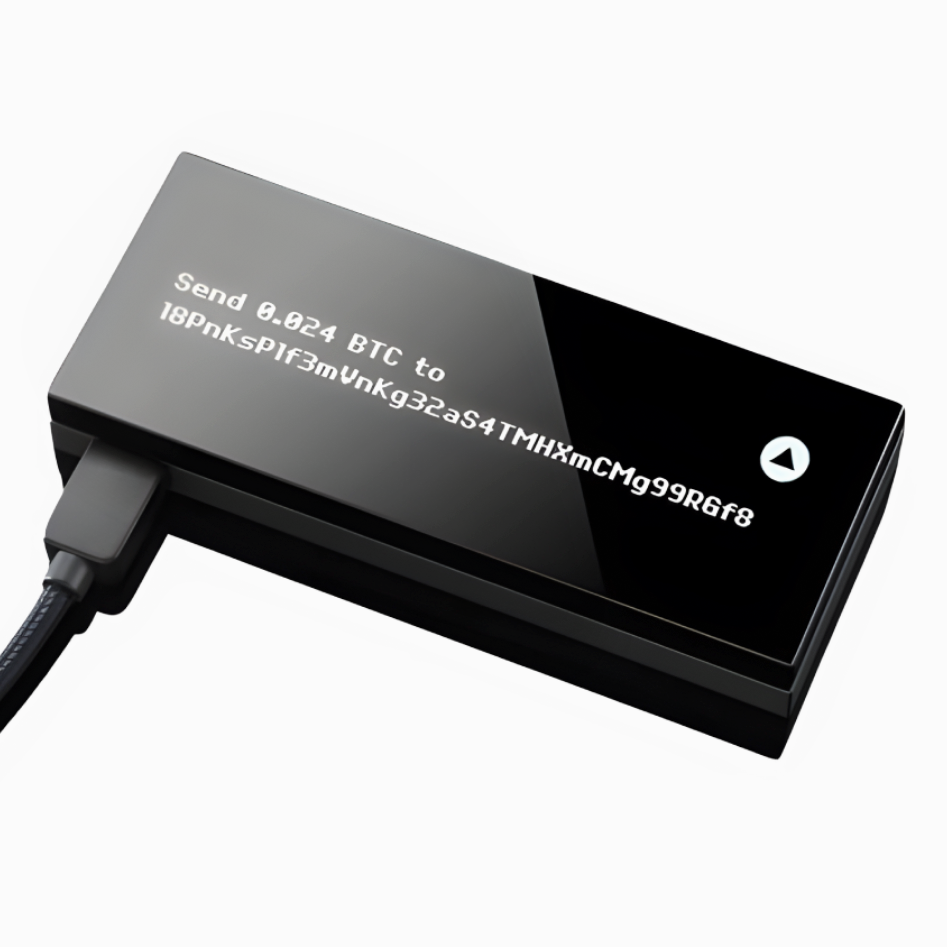
Transactions are reviewed and confirmed on the built-in OLED screen, so you can clearly see what you are approving before anything is signed. This hardware wallet enforces on-device confirmation for every transaction.
KeepKey supports Bitcoin, Ethereum, and other compatible networks through supported wallet software while the device remains the authority for signing. Your private keys stay on the hardware, not in an application or account.
During initialization, KeepKey creates a standard recovery phrase that allows you to restore your wallet on another compatible device or wallet software if the hardware is lost or replaced. Ownership is not tied to an account, exchange, or activation server — it is tied to possession of the device and your recovery phrase.
The aluminum body protects the internal hardware, and the device connects by USB for simple, direct use.
KeepKey is designed for holders who value deliberate confirmation, recoverability, and device-based control — not trading speed or custodial convenience.
If you have your KeepKey — or your recovery phrase — you control access to your funds.
KeepKey
Couldn't load pickup availability
KeepKey Documentation
KeepKey Documentation
Limited Warranty
Limited Warranty



Built for long-term ownership
KeepKey is designed to hold your private keys offline, on a device you physically control. Your keys are generated on the device itself and never leave it.
Access to your funds does not depend on a company account, exchange, or service staying online. If your device is lost or replaced, your recovery phrase lets you restore access using another compatible wallet.
This design prioritizes durability over convenience features — so it continues to work years from now, even as software, services, or interfaces change
How you use KeepKey
When you connect KeepKey to a computer, transactions are confirmed on the device’s screen using its button. Private keys never leave the device.
You use compatible wallet software on your computer to view balances and create transactions. KeepKey signs transactions on-device, then returns the signed result to the software.
Firmware updates are performed using KeepKey Desktop. Updating firmware does not affect your funds or recovery phrase.

KeepKey Desktop
KeepKey Desktop is used to update device firmware and manage device settings.
Firmware updates help keep your device secure and compatible over time. Updating firmware does not affect your funds or recovery phrase.

KeepKey is Open-Source
KeepKey’s firmware and supporting software are open source and publicly auditable.
This allows independent developers and security researchers to review how the device works and verify its behavior over time.
FAQ
How can I be sure my wallet wasn’t tampered with before I used it?
KeepKey generates your recovery phrase on the device itself during setup. The recovery phrase is shown only once, on the device’s screen.
You should always initialize your KeepKey yourself. If a device appears to have been set up previously, it should not be used.
Why use a KeepKey hardware wallet instead of an online exchange?
Online exchanges hold assets on your behalf and require you to trust their security and availability.
KeepKey stores private keys on a device you control. Transactions are confirmed on the device, and private keys never leave it.
What if my wallet gets lost, damaged, or stops working?
Your funds are not stored on the device itself. They are recoverable using your recovery phrase.
If your KeepKey is lost or damaged, you can restore access using another compatible wallet and your recovery phrase.
What if someone gets hold of my wallet?
KeepKey requires physical confirmation on the device to authorize transactions.
Without your PIN and recovery phrase, someone who finds or steals your device cannot move your funds.
How can I contact KeepKey?
Support and documentation are available through the contact options listed on our website.